
Last checked: August 2, 2026. Apple Pay support, transportation payment systems, and card acceptance can change, so check the linked official sources shortly before your trip.
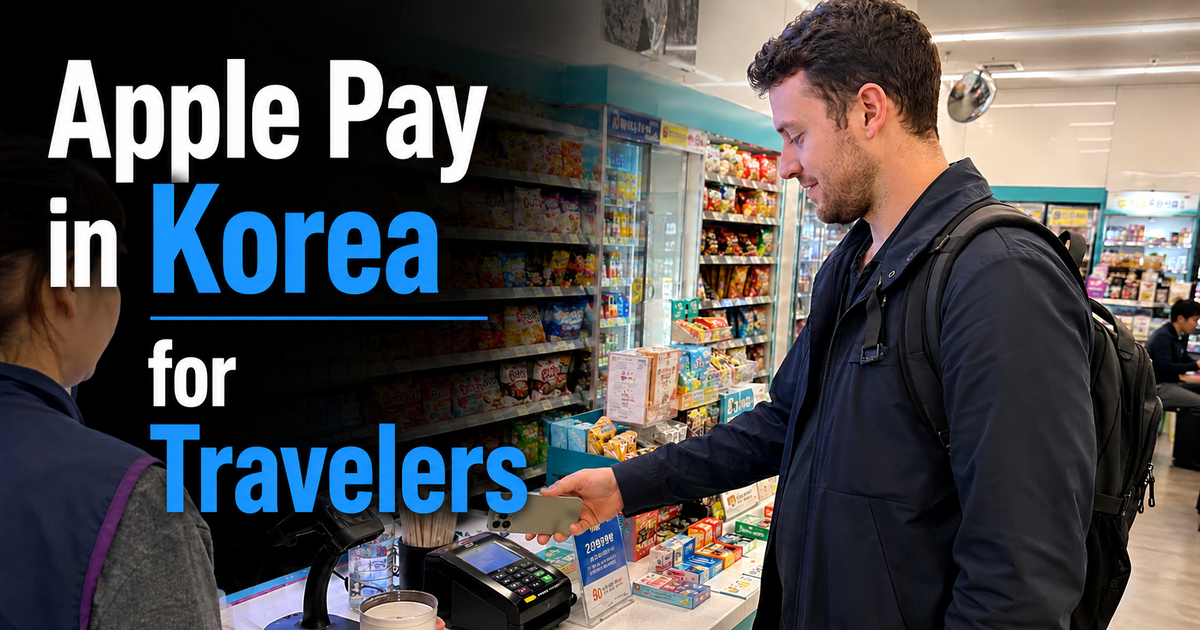
Apple Pay can be used in South Korea, but travelers should not assume that every Korean card terminal accepts an iPhone or Apple Watch tap. Apple lists South Korea as an Apple Pay-supported region and advises users to look for the Apple Pay or contactless payment symbol at the point of sale.
The practical approach is to treat Apple Pay as one payment option rather than your entire wallet. Bring a physical international payment card, prepare a separate transportation payment method, and keep a modest amount of Korean won for situations where electronic payment does not work.
Quick answer: Use Apple Pay when the merchant displays Apple Pay or contactless payment support, but keep a physical card ready. For public transportation, do not assume that a normal foreign bank card in Apple Pay can replace T-money at subway gates and bus readers.
Does Apple Pay Work in Korea in 2026?
Yes. South Korea is included in Apple’s current list of countries and regions that support Apple Pay. If you already have an eligible card in Apple Wallet, you can use Apple Pay at participating merchants where the required contactless payment system is available.
For the current country list, see Apple’s official Apple Pay availability page.
However, “Apple Pay works in Korea” does not mean that every Korean card terminal accepts a phone tap. A store may accept physical credit cards but use a payment terminal or processing setup that does not support the contactless payment you are trying to make.
This distinction explains why a physical card remains useful even when the same card is already stored in Apple Wallet.
How to Tell Whether Apple Pay Should Work

Do not judge Apple Pay acceptance by the neighborhood, store size, or whether a business looks modern. The more reliable clue is the payment terminal itself.
Apple advises users to look for the Apple Pay mark or the contactless payment symbol. You can review the symbols on Apple’s official guide to where Apple Pay can be used.
- Look at the card reader before paying.
- If you see an Apple Pay or contactless symbol, prepare your iPhone or Apple Watch.
- Authenticate the payment as you normally would.
- Hold the device near the contactless reader.
- If the payment fails once, switch to another accepted method rather than repeating the same tap several times.
A contactless symbol is a useful sign of compatibility, but it does not guarantee that every transaction will be approved. The merchant’s payment system, card network and your card issuer can still affect the result.
Can Tourists Use a Foreign Card in Apple Pay?
If your home-country bank or card issuer supports Apple Pay and the card is already eligible in Apple Wallet, you do not need to obtain a Korean credit card simply to try Apple Pay at a participating Korean merchant.
Your card issuer still controls whether the card can make international purchases. Before departure, check the issuer’s overseas-payment settings, spending limits, fraud alerts and any foreign transaction fees that may apply.
VISITKOREA states that credit cards including major international networks are widely used at many Korean hotels, department stores and general shops, while also noting that some businesses may not provide card service. You can review the current guidance on the official VISITKOREA currency and payment page.
For a traveler, the important distinction is between the physical card and the payment method. A merchant may be able to process the inserted physical card even when a contactless Apple Pay attempt does not complete.
Apple Pay, Tmoney and Public Transportation
Retail Apple Pay and Korean public transportation payment are separate systems. Do not assume that a normal foreign Visa, Mastercard or other bank card stored in Apple Pay can simply be tapped at every Seoul subway gate or bus reader.
Tmoney Is Available in Apple Wallet, but There Is an Important Limitation
Apple introduced Tmoney in Apple Wallet in July 2025. Eligible iPhone and Apple Watch users can add a prepaid Tmoney transit card and use it on supported transportation with Express Mode.
However, Apple currently states that purchasing or adding money to a Tmoney card through Apple Wallet requires a credit or debit card issued in South Korea. This makes the digital option less convenient for many short-term visitors who only have cards issued overseas.
Check the current requirement on Apple’s official transit-card support page before relying on digital Tmoney for your trip.
For most travelers without a South Korea-issued payment card, an ordinary physical transportation card remains a straightforward backup. Our guide to how to use a T-money card in Seoul covers purchases, cash reloads, subway gates, buses, airport trains, transfers and refunds.
What About New Subway Machines That Accept Foreign Cards?
Seoul expanded international-card payment at new subway ticket vending machines in March 2026. At supported machines on Lines 1–8, eligible internationally issued credit or debit cards can be used for products including single-journey tickets and Climate Card short-term passes.
This does not mean that the same foreign card or Apple Pay wallet can automatically be tapped directly at every subway gate. Buying a ticket at a machine and paying directly at a transit reader are different functions.
The Seoul Metropolitan Government announcement explains the current international-card ticket-machine system. For subway fares, buses, airport transportation and transportation-card choices, see our Seoul public transportation guide.
What to Do When Apple Pay Fails
One failed Apple Pay payment does not mean that Apple Pay is unusable throughout Korea or that your bank has blocked the card. The problem may be limited to that merchant, terminal or transaction.
- Stop after one clear failed Apple Pay attempt.
- Use the physical version of the card if you have it.
- Try a second card if the physical card also fails.
- Check your banking app if the same card fails at several unrelated businesses.
- Contact your issuer through an official support channel when repeated declines continue.
If the problem continues beyond Apple Pay, our guide to what to do if your credit card does not work in Korea explains chip payments, issuer settings, kiosks, currency conversion and other common failure patterns.
The Best Backup Payment Setup
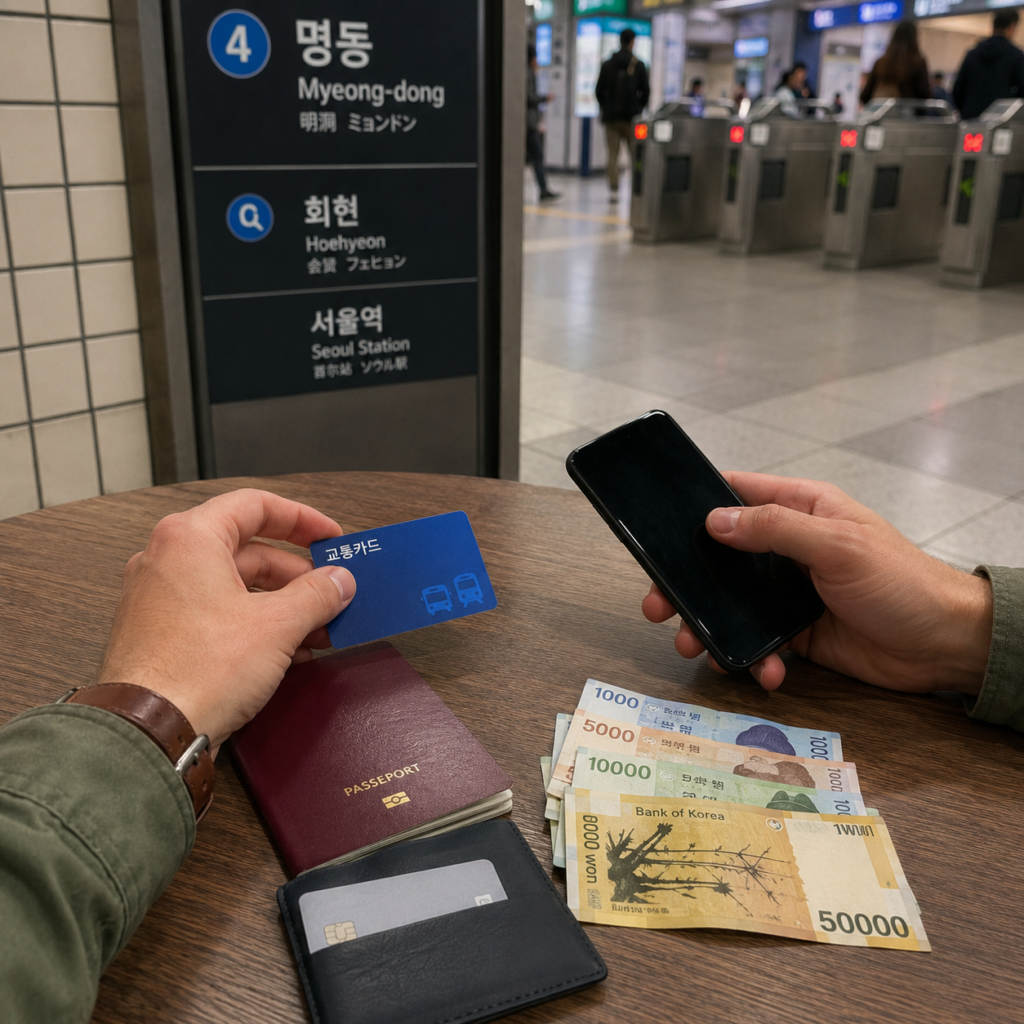
A simple mixed wallet is more reliable than depending on one device or one card. You do not need a complicated collection of travel-payment products; you need a few methods that fail independently of one another.
| Payment method | Best use | What travelers should know |
|---|---|---|
| Apple Pay | Fast payment at compatible contactless terminals | Useful when supported, but do not assume every card reader accepts it |
| Physical payment card | Shops, restaurants, hotels and other card purchases | Keep the physical card available even when it is stored in Apple Wallet |
| Second physical card | Backup when the first issuer or network declines | A card from a different issuer or network provides a more independent backup |
| T-money or another suitable transportation option | Subway and bus travel | Do not treat ordinary retail Apple Pay as a universal transit payment method |
| Korean won | Small purchases, transportation-card reloads and payment failures | Carry a modest reserve rather than depending on cash for everything |
Before departure, make sure at least one physical card works for overseas in-person transactions and that you can access your bank’s app or support service while abroad.
If you are traveling with another adult, keeping every payment method in one person’s phone or wallet creates an unnecessary single point of failure. Splitting backup cards and some emergency cash can be more practical.
Cash and ATM Backup
Korea is highly card-oriented, so most visitors do not need to carry a large amount of cash every day. There is also no single Korean-won amount that is correct for every traveler.
Instead, keep enough cash for your own likely backup needs: a transportation-card reload, a small purchase and one unexpected payment failure. Your required reserve will depend on your itinerary, accommodation, airport transportation and shopping plans.
If you plan to withdraw Korean won after arrival, remember that not every ATM handles overseas cards in the same way. Look for a Global ATM, Foreign Card or International Card option and a card-network logo that matches your card.
If cash withdrawal fails, read what to do when a Korean ATM rejects your foreign card before repeatedly trying the same machine. The issue can involve the ATM network, overseas withdrawal settings, transaction limits, PIN or issuer security controls.
Apple Pay on Korean Websites and Apps
Do not assume that Apple Pay support at a physical Korean store means that the same business or another Korean service offers Apple Pay online.
For apps and websites, use Apple Pay when the checkout page actually displays an Apple Pay button. If Apple Pay is not offered, follow the merchant’s available foreign-card or global checkout process rather than trying to force a mobile-wallet payment into a domestic payment flow.
Some Korean services also operate separate Korean and global versions. When an official global or English checkout is available for overseas customers, that is usually the clearer place to start.
If an online card payment fails, first confirm whether a reservation or order was created before submitting the payment again. Repeated attempts can make it harder to distinguish a failed transaction from a pending or duplicated one.
What to Prepare Before Your Korea Trip
- Add your eligible payment card to Apple Wallet before departure.
- Confirm that the issuer allows overseas in-person purchases.
- Bring the physical version of at least one usable card.
- If possible, carry a second card from another issuer or network.
- Make sure you can access each card issuer’s official app while overseas.
- Choose your transportation payment method before your first subway or bus ride.
- If you do not have a South Korea-issued card, do not assume you can fund Apple Wallet Tmoney with your foreign card.
- Keep a modest amount of Korean won for backup payments and ordinary physical T-money reloads.
- Check foreign transaction and ATM fees before you travel.
The goal is not to predict every payment terminal in Korea. It is to make sure that one failed tap, one rejected card or one unavailable transit payment method does not stop your day.
Frequently Asked Questions
Can tourists use Apple Pay in Korea?
Yes. South Korea is an Apple Pay-supported region. A traveler with an eligible card already added to Apple Wallet can use Apple Pay at participating merchants with compatible contactless payment systems. Merchant acceptance and card-issuer approval still apply.
Do I need a Korean credit card to use Apple Pay in Korean stores?
Not simply to attempt a normal retail Apple Pay payment with an eligible foreign card already supported by your home-country issuer. However, Korean-issued-card requirements can apply to specific services, most importantly purchasing or topping up Tmoney through Apple Wallet.
Can I use my foreign card in Apple Pay directly on the Seoul subway?
Do not rely on a normal foreign bank card in Apple Pay as a universal subway or bus payment method. Retail Apple Pay, Apple Wallet Tmoney, ticket-machine payments and direct transit-gate payments are separate systems.
Can a tourist use Tmoney in Apple Wallet?
Tmoney is supported in Apple Wallet on eligible devices, but Apple currently states that purchasing or topping up the card in Wallet requires a South Korea-issued credit or debit card. Travelers without one should prepare another transportation payment method.
What should I do if Apple Pay is declined?
Try the physical version of the card or a second payment card. If the same card fails at several unrelated merchants, check your issuer’s app for overseas-payment restrictions, security alerts or spending limits and contact the issuer if necessary.
Final Takeaway
Apple Pay is useful in Korea, but it should be one part of your payment plan rather than the only part. Look for the Apple Pay or contactless symbol, try one clean tap, and keep a physical card ready when the terminal or issuer does not complete the payment.
For transportation, keep retail Apple Pay separate from Tmoney and subway ticket payments. Apple Wallet Tmoney is available, but its current funding rules make a physical transportation card more practical for many visitors without a South Korea-issued payment card.
A flexible setup is enough: Apple Pay, at least one reliable physical card, a separate transit method and a modest Korean-won reserve. With those backups prepared, one failed payment is an inconvenience rather than a travel problem.