
Last checked: August 2, 2026. Mobile plans, airport counter locations, data limits and activation rules can change, so check the provider’s current terms before purchasing.
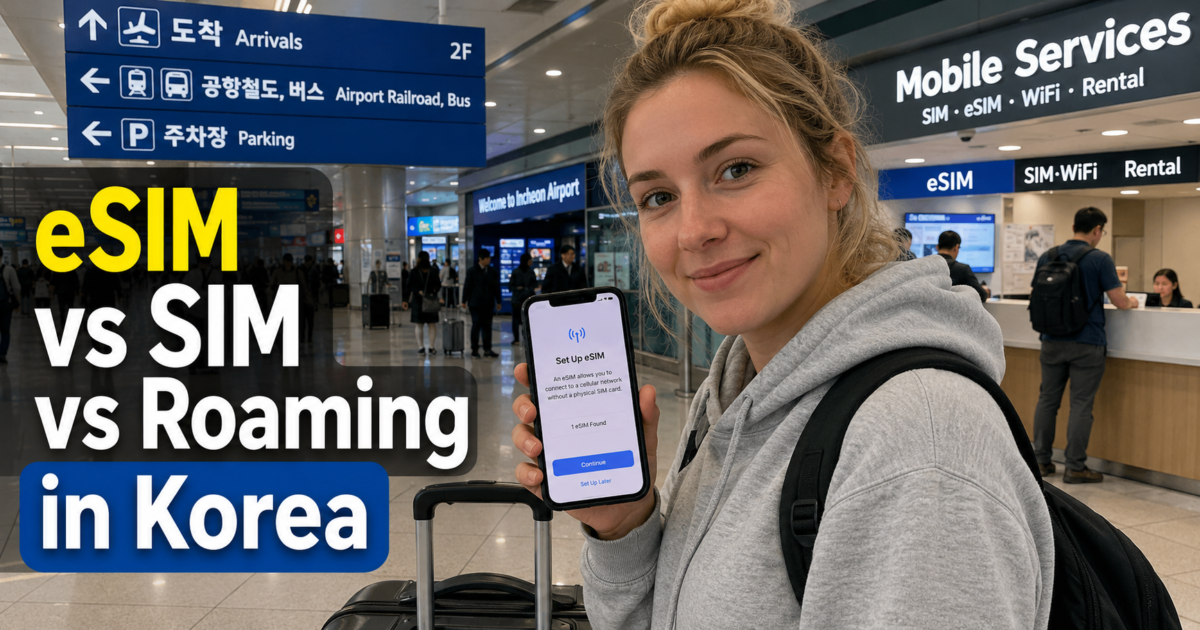
For many travelers spending about 10 days in Korea, an eSIM is the most convenient option if the phone is unlocked and supports eSIM. A physical SIM is a practical alternative when your device does not support eSIM or you want in-person help, while international roaming is worth comparing when keeping your home number active with minimal setup matters most.
The most important choice is not simply “eSIM or SIM.” Check whether you need only mobile data, a Korean 010 phone number, voice calls or text messages, and whether your phone can use a Korean SIM or eSIM in the first place.
Quick answer: Choose an eSIM for convenience when your unlocked phone supports it. Choose a physical SIM if you need a physical card or prefer airport counter assistance. Choose roaming if keeping your home carrier setup is more important than finding a separate Korea plan. If you need a Korean number, make sure the exact product includes one.
Which Option Is Best for a 10-Day Korea Trip?

There is no single option that is best for every visitor. For a short tourist trip, the decision becomes much easier when you answer four questions before buying anything.
- Does your phone support eSIM?
- Is the phone unlocked for use with another carrier?
- Do you need only data, or do you also need Korean calls and text messages?
- Do you need to keep your home number active for banking codes, work or family contact?
| Option | Best fit | Main thing to check |
|---|---|---|
| eSIM | Travelers with an unlocked, eSIM-compatible phone who want fast setup | Device compatibility, activation rule, data allowance and whether a Korean number is included |
| Physical SIM | Phones without eSIM support or travelers who prefer a physical card and counter help | Phone unlock status, SIM size, number and voice/SMS features |
| Home-carrier roaming | Travelers who want to keep their normal number and avoid changing SIMs | Total 10-day cost, high-speed allowance, hotspot rules and roaming charges |
Why Mobile Data Is Useful in Korea

A Korea trip can be managed without constant mobile data, but having a working connection makes daily travel much easier. Local map apps, subway and bus routes, translation, taxi pickup points, reservation messages and last-minute schedule changes are all easier to handle when your phone is online.
Naver Map and KakaoMap are particularly useful for Korean addresses, subway exits, walking routes and public transportation. If you have not chosen a navigation app yet, our Naver Map vs KakaoMap guide compares the two for first-time visitors.
Mobile data is also useful immediately after arrival. You may need to find your airport train platform, check a bus route, contact your accommodation or confirm the correct subway exit before you reach hotel Wi-Fi.
eSIM in Korea: Best for Convenient Setup
An eSIM is a digital mobile profile installed on a compatible phone instead of a removable plastic SIM card. Depending on the provider, you may install it by scanning a QR code or following the provider’s activation instructions.
The main advantage is convenience. You can often purchase the plan before departure and prepare the phone without removing your home SIM. This is particularly useful on dual-SIM phones because you may be able to use the Korea eSIM for data while keeping your home line available for important messages.
Data-Only eSIM vs eSIM With a Korean Number
Do not assume that every Korea eSIM has the same features. Some travel eSIMs are data-only, while some Korean carrier products include a Korean 010 phone number and may support voice calls or SMS.
For example, LG U+ currently offers traveler eSIM products that include a Korean 010 number. Product details can change, so use the provider’s current page rather than assuming that another eSIM will include the same features.
You can check current examples on the official LG U+ Korea travel SIM and eSIM site.
Check Compatibility Before Buying
Your phone must support the particular eSIM service you are buying. Device support can vary by model, country of purchase and carrier, so check the exact device rather than relying only on the model family name.
The phone also needs to be unlocked for another carrier. An eSIM-compatible phone that is still carrier-locked can still fail to connect to a Korean travel plan.
Installation and Activation Are Not Always the Same
Read the provider’s activation rule before installing the eSIM. Some plans calculate their validity from the first network or data use, while other providers may use a different trigger.
Do not assume that installing an eSIM always starts the plan immediately, and do not assume that installation never starts it. Follow the terms of the exact product you purchased.
Keep the QR code or manual setup information somewhere you can access without relying on the phone being configured. Some eSIM activation codes may have reuse restrictions, so follow the provider’s instructions before deleting or reinstalling a profile.
Physical SIM in Korea: Best When You Want a Physical Card or Counter Help
A physical prepaid SIM remains a practical option for visitors. The Korea Tourism Organization lists prepaid SIM cards as one of the standard communication options for travelers in Korea, alongside roaming and other connectivity services.
You can review the current official overview on the VISITKOREA Electricity & Communications page.
A physical SIM can be a better choice when your phone does not support eSIM or when you prefer to speak with staff while purchasing or activating the plan. Depending on the product, passport information may be required during registration or activation.
Before replacing your home SIM, make sure you know where you will store it safely. If you need your home number for banking or other SMS messages, also consider whether your phone supports two active lines or whether temporarily removing the home SIM will create a problem.
Roaming in Korea: Best When Keeping Your Home Line Simple Matters Most
International roaming lets you continue using your home carrier in Korea without buying a separate local SIM. It can be the simplest option for work calls, family contact, banking messages or travelers who do not want to change phone settings beyond enabling the carrier’s international service.
The trade-off is that prices and high-speed data rules vary widely by home carrier. The Korea Tourism Organization notes that prepaid SIM cards can often cost less than roaming, but that does not mean roaming is always the most expensive option for every traveler.
Before your flight, check:
- the total cost for the full 10-day trip
- how much high-speed data is included
- what happens after the high-speed allowance is used
- whether tethering or hotspot use is allowed
- the cost of voice calls and text messages
- whether incoming calls or texts can generate roaming charges
Compare the full trip cost rather than only a one-day price. A daily roaming fee that looks small can produce a very different total after ten days.
Do You Need a Korean Phone Number?
Many tourists do not need a Korean phone number for a standard sightseeing trip. Mobile data is enough for map apps, messaging, translation, public transportation information, attraction websites and most ordinary browsing.
A Korean 010 number can still be useful when you need ordinary local calls or text messages. Depending on the service, it may help with guesthouse contact, reservation messages, local businesses or other situations where a Korean telephone number is requested.
However, having a Korean 010 number does not guarantee that every Korean website or app will accept it for identity verification. A phone number and a service’s identity-verification process are separate issues, and each platform can set its own requirements.
This difference becomes important with Korean ticketing and other services designed around domestic authentication. Our guide to buying K-pop concert tickets without a Korean phone number explains why using an official global booking route can matter more than simply obtaining a tourist SIM.
Check Exactly What the Plan Includes
Before purchasing, check whether the plan provides:
- mobile data
- a Korean 010 phone number
- incoming voice calls
- outgoing voice calls
- incoming SMS
- outgoing SMS
Terms such as “unlimited data,” “Korean number included” and “voice available” do not necessarily mean the same thing across products.
How Much Data Do You Need for 10 Days?
There is no reliable universal number of gigabytes for every 10-day traveler. Choose based on what you will actually do with the phone.
| Usage pattern | Typical activities | What to prioritize |
|---|---|---|
| Light | Maps, messaging, transit information and occasional web searches | A capped plan may be sufficient if you also use hotel Wi-Fi |
| Regular | Maps, translation, social media, restaurant searches and frequent messaging | Compare a larger high-speed allowance with unlimited plans |
| Heavy | Video, frequent photo or reel uploads, cloud backups and hotspot use | Check high-speed limits, speed reduction rules and tethering policy carefully |
The word “unlimited” deserves extra attention. A plan may offer unlimited total data while applying a lower speed after a specified high-speed allowance or under a fair-use policy. Read the speed conditions, not just the word on the product title.
Buying Before Your Flight vs at Incheon Airport
Buying Before Departure
Buying before departure is convenient for eSIM users because you can check device compatibility and prepare the setup while you still have reliable internet access at home.
Do not activate the plan early unless you have confirmed when its validity period starts. Save the order confirmation, QR code and support instructions somewhere you can access during the trip.
Buying at Incheon Airport
Incheon International Airport currently lists telecommunications and roaming centers for KT, SK Telecom and LG U+ in its terminal facilities. Exact counter locations and operating hours can change, so check the official airport information close to your arrival date.
You can review the current locations on the Incheon International Airport information and services page.
If you purchase or activate a SIM at a staffed counter, test it before leaving the airport area. Open a web page, load your map app and confirm any voice or SMS feature you specifically purchased.
Once your connection works, our Seoul public transportation guide can help you choose between the Airport Railroad, bus, subway and taxi for the rest of your trip.
Which Option Fits Your Travel Style?
First-Time Tourist With an Unlocked eSIM Phone
An eSIM is usually the simplest starting point when you mainly need data and want to connect soon after arrival. Check whether the specific plan is data-only or includes a Korean number before buying.
Traveler With an Older or Non-eSIM Phone
A physical SIM is the straightforward choice if the phone supports Korean networks and is unlocked. Airport or other staffed sales locations may also be useful if you want help during setup.
Traveler Who Needs a Home Number for Work or Banking
Compare your home carrier’s roaming plan with a dual-SIM setup. Keeping the home line active can be useful for required SMS messages, but check the carrier’s roaming charges before leaving it enabled.
Family or Group
Do not assume that one phone hotspot is automatically the best solution for everyone. A shared hotspot can work when the group stays together, but separate connectivity is more useful if people split up or need independent maps and messages.
Setup Checklist Before You Fly
- Confirm that your phone is carrier-unlocked.
- Check whether the exact phone model supports the eSIM or network you plan to use.
- Decide whether you need data only or a Korean number with voice or SMS.
- Check when the plan’s validity period begins.
- Read the high-speed data and speed-reduction rules.
- Check whether hotspot or tethering is allowed if you need it.
- Save the QR code, order confirmation and support information offline.
- Decide whether your home SIM must remain active for important messages.
- Check your home carrier’s roaming charges before enabling both lines.
- Test data and any purchased calling features as soon as the service activates.
Frequently Asked Questions
Is eSIM better than a physical SIM in Korea?
An eSIM is usually more convenient if your unlocked phone supports it and you are comfortable with digital setup. A physical SIM is a better fit when the phone does not support eSIM or you prefer a physical card and in-person purchasing assistance.
Can a tourist eSIM give me a Korean 010 phone number?
Some can. Korean carrier products currently exist that include a 010 number, while other travel eSIMs are data-only. Check the exact plan features before purchasing.
Does having a Korean phone number let me pass Korean identity verification?
Not necessarily. A Korean phone number does not guarantee that a website or app will accept the line for its identity-verification process. The service’s own verification rules determine whether a short-term visitor can use it.
Can I keep my home SIM active while using a Korea eSIM?
Many dual-SIM phones allow this, but the exact setup depends on the device and carrier. Make sure the Korea line is selected for the data you want to use and check whether keeping the home line active can create roaming charges.
Can I use only Wi-Fi for a 10-day Korea trip?
It is technically possible, and public Wi-Fi is available in many airports, stations and other locations. However, mobile data is more practical for navigation, bus and subway information, taxi pickup, translation and unexpected route changes away from Wi-Fi.
Final Takeaway
For a 10-day trip to Korea, an eSIM is a convenient choice when your unlocked phone supports it and you mainly want quick mobile data. A physical SIM remains a good option for phones without eSIM support or travelers who prefer a physical card and staffed purchase point.
Roaming is worth considering when keeping your home number and avoiding a separate Korea plan matters more than finding the lowest possible cost. Compare the full ten-day price and high-speed data conditions before deciding.
Most importantly, choose the features you actually need. Check whether the plan includes a Korean 010 number, voice calls, SMS, hotspot use and the amount of high-speed data you expect to use. A Korean phone number can be useful, but it does not automatically provide access to every Korean identity-verification system.