

South Korea travel requirements in 2026 are manageable once you separate entry documents from travel preparation. Start by checking whether your passport requires a visa or K-ETA, confirm whether you need to submit the e-Arrival Card, review any current health or quarantine requirements, and then prepare the apps, mobile data, and transportation you will use after landing.
Quick answer: Check your visa or K-ETA status first. If required, submit the free e-Arrival Card within three days before arrival. Before your flight, save your accommodation details, set up mobile data, install a Korean map app, and decide how you will travel from the airport.
Start With Your Entry Requirements
Do not begin with a long list of travel apps. Your first question should be whether your passport and travel purpose allow visa-free entry, require K-ETA, or require a visa.
Requirements can differ by nationality, passport type, travel purpose, and length of stay. Use Korea’s official immigration and K-ETA services rather than relying on an old travel forum post or another traveler’s experience.
If you are still organizing the practical side of your trip, our eSIM vs physical SIM vs roaming guide explains how to prepare mobile data for maps, transportation, translation, and reservations after arrival.
K-ETA in 2026: Check Whether It Applies to You
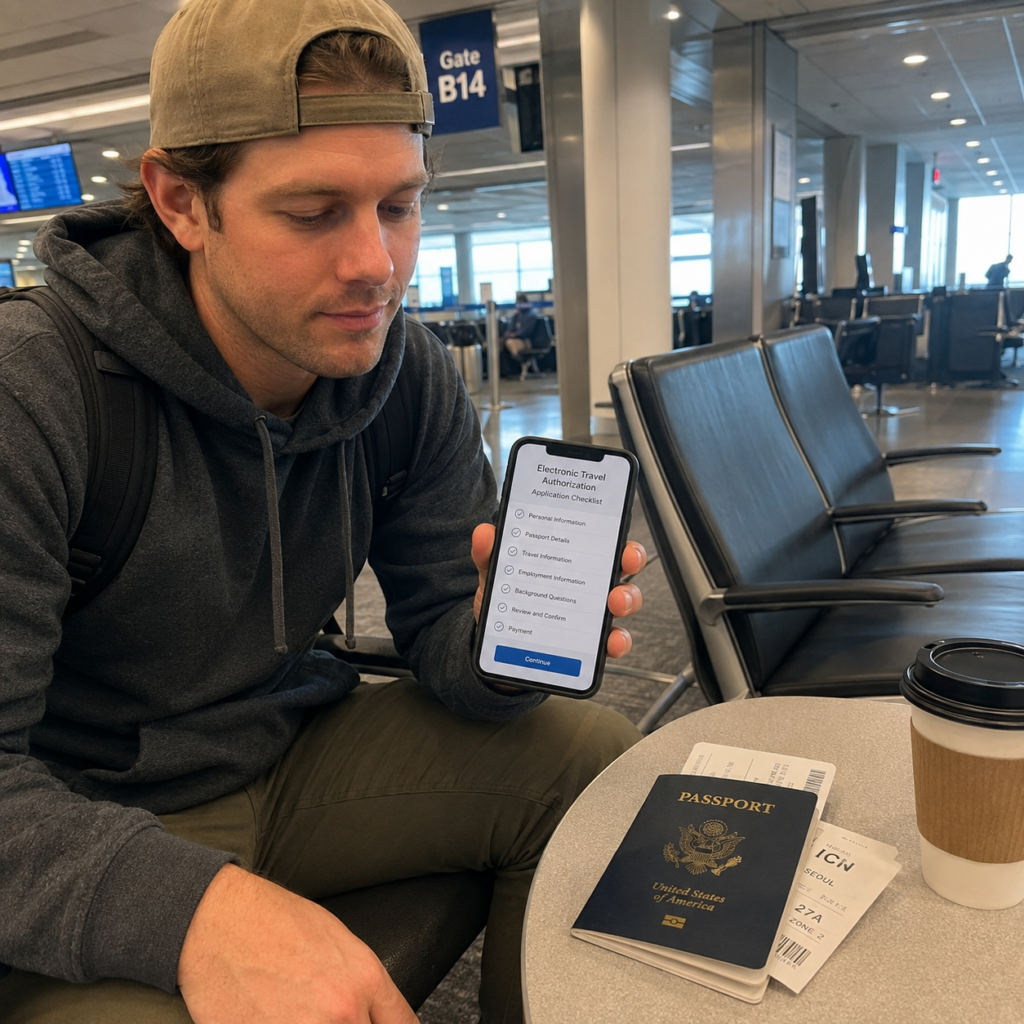
K-ETA stands for Korea Electronic Travel Authorization. It is intended for eligible travelers entering Korea without a visa and does not replace a visa when a visa is required.
Korea has extended the temporary K-ETA exemption for designated countries and regions until December 31, 2026. Because eligibility can change, check the official K-ETA website for your current passport status before departure.
If K-ETA is required for your trip, the official service currently lists an application fee of KRW 10,000, plus the applicable online payment fee. The official guidance says assessment typically takes 72 hours or less, but it can take longer when application volume increases or other circumstances occur.
Do not leave a required K-ETA application until the day of departure. There is no official expedited service for individual applications.
Check K-ETA Again If Your Passport Changed
K-ETA information is connected to your passport information. If you received a new passport after a previous approval, check the official K-ETA guidance again rather than assuming the previous authorization still applies.
- Visa-free but not temporarily exempt: Check whether K-ETA is required before boarding.
- Temporarily exempt: Confirm that your nationality remains on the current exemption list.
- New passport: Check whether a new application or information update is required.
- Travel after December 31, 2026: Do not assume the current temporary exemption will continue unless Korea officially extends it.
e-Arrival Card: Free and Separate From K-ETA
Korea’s e-Arrival Card is an electronic arrival declaration for foreign entrants who are required to submit one. It is not the same system as K-ETA.
The official e-Arrival Card service is free and allows eligible travelers to complete and submit the declaration within three days before arrival in Korea.
Travelers with a valid K-ETA are generally exempt from submitting the e-Arrival Card. Other travelers, including some K-ETA-exempt visitors and visa holders, should check their exact status using the official e-Arrival Card Navigator.
Use the official Korea e-Arrival Card website to confirm whether you need to submit one.
What You May Need for the e-Arrival Card
- Valid passport information
- Email address
- Arrival and departure information
- Flight or transportation details
- Address or accommodation information in Korea
Be careful with unofficial websites. The Korean government states that the official e-Arrival Card is free. A website asking for payment information simply to submit the arrival declaration is not the official service.
What to Prepare Before Your Flight
| Item | When to check | Why it matters |
|---|---|---|
| Passport and visa status | Before booking or departure | Your required entry process depends on your passport and travel purpose |
| K-ETA status | Before departure | Some visa-free travelers still require authorization |
| e-Arrival Card | Within 3 days before arrival if required | It is an arrival declaration for eligible foreign entrants |
| Accommodation details | Before departure | Useful for immigration forms, transportation, and emergency reference |
| Mobile data | Before flying | Needed for maps, messages, transportation, and translation |
| Airport transportation | Before landing | Helps you avoid making transport decisions while tired after arrival |
Save important confirmations offline or take screenshots. Do not depend entirely on airport Wi-Fi or an email account that may require two-factor authentication before you have mobile service.
Travel Apps to Prepare Before Arriving in Korea
You do not need to install every Korean app. A few useful tools are enough for most first-time trips.
A Korean map app is useful for subway routes, bus stops, station exits, Korean addresses, and local place information. Naver Map can be a practical starting point for international visitors, while KakaoMap can be useful for comparing a route or local place result.
Our Naver Map vs KakaoMap guide compares multilingual support, public transportation, local searches, bus stops, and when using both apps can help.
Translation
A translation app can help with menus, signs, short messages, notices, and Korean place names. Papago is one option commonly used for Korean-language translation, but you can also keep another translation tool available as a backup.
Taxi Apps
Taxi apps can be useful, but availability, payment methods, and account setup can vary for international visitors. If an app is inconvenient, official airport taxi stands, hotel assistance, and designated taxi queues remain practical options.
Mobile Data: Set It Up Before You Need a Map
Mobile data becomes useful immediately after landing. You may need it to load a map, message your hotel, check public transportation, translate a sign, or find the correct airport pickup point.
An eSIM can be convenient if your phone supports it and is unlocked. A physical SIM is useful when you want counter assistance, while international roaming may be simpler for travelers who need to keep their home number active.
For the advantages and limitations of each option, see our guide to eSIM, physical SIM, and roaming in Korea.
Transportation After Landing
After immigration and baggage claim, your main choices for traveling into Seoul include airport rail, airport buses, taxis, and pre-arranged transfers. The best option depends on your destination, luggage, arrival time, mobility needs, and willingness to transfer between transportation systems.
If you prefer to arrange a taxi before leaving the airport, see our step-by-step k.ride airport pickup guide for supported airports, Incheon terminals, payment, luggage, and pickup instructions.
Do not choose only by price. A route with several transfers may be inconvenient with large suitcases, while a taxi may cost more but make sense for a group, late arrival, or traveler with mobility concerns.
For a broader introduction to subway, bus, taxi, and transportation-card use, read our Seoul public transportation guide for first-time travelers.
If You Have a Group or Several Suitcases
A standard taxi may not be the best option for several passengers with large luggage. Check the actual passenger and luggage capacity rather than relying only on the vehicle category name.
Our guide to booking a large taxi in Seoul compares current options for larger groups, luggage-heavy rides, and scheduled airport transfers.
Prepare a Transportation Card for Local Travel
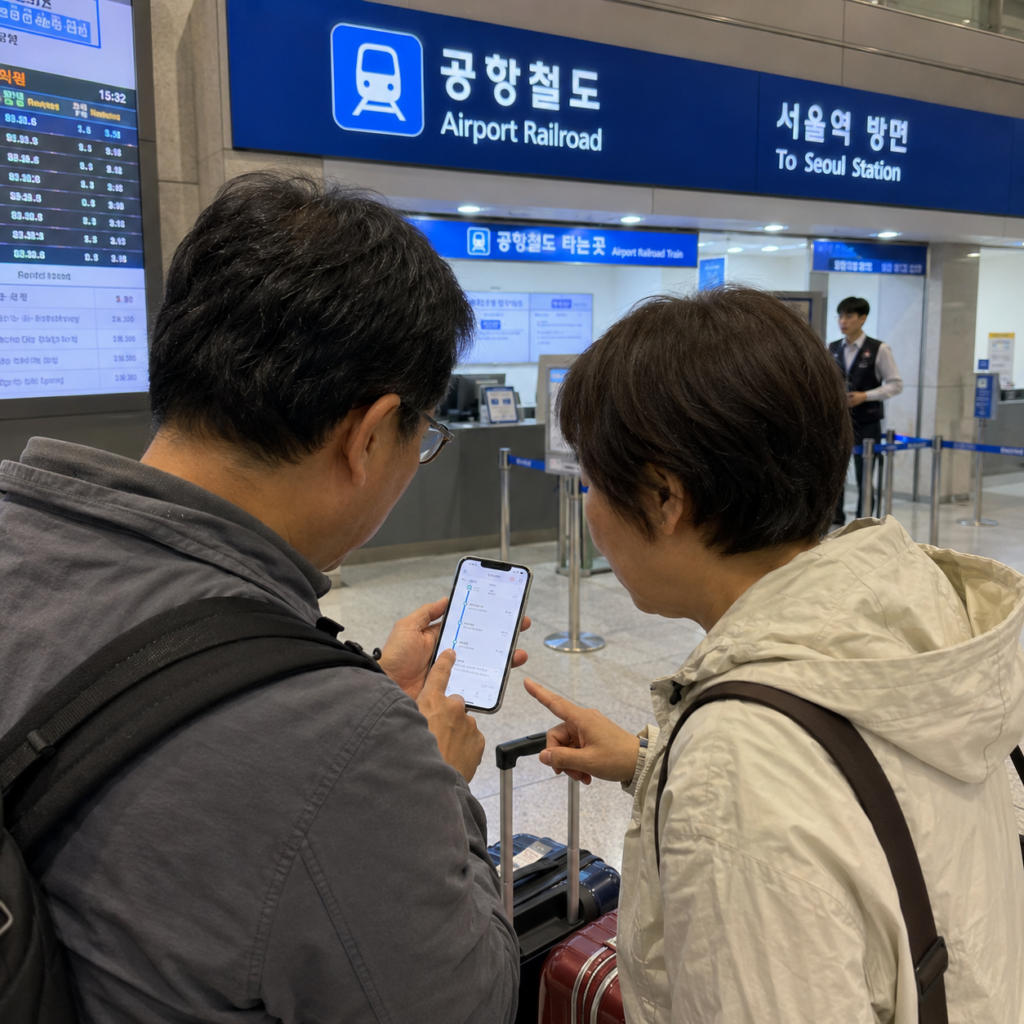
For public transportation after arrival, many travelers use a rechargeable transportation card such as T-money. It can be used for subway and bus travel, and correct tap-in and tap-out habits are important when transferring.
Physical transportation-card reload methods can differ by location and machine, so keeping some Korean won available as a backup can be useful.
Our T-money card guide for Seoul explains where to tap, how bus exit taps work, and what to check when the reader does not respond as expected.
Arrival-Day Mistakes to Avoid
Do Not Schedule Too Much Immediately After Landing
Immigration, baggage claim, mobile-data setup, airport transportation, hotel check-in, and jet lag can take more time and energy than expected. Keep your first-day schedule flexible, especially after a long-haul flight.
Save Korean Place Names and Addresses
An English hotel or restaurant name may not always match the local map listing exactly. Save the Korean name, address, and nearest station before leaving the airport.
Check the Station Exit
Large Seoul stations can have many exits. Confirming the correct exit before leaving the paid area can save a long walk with luggage.
Do Not Depend on One Payment or Connectivity Method
Keep a physical payment card and a small cash backup even if you plan to use mobile payments. Likewise, save essential addresses and confirmations offline in case mobile data is temporarily unavailable.
What About Q-CODE and Health Requirements?
Q-CODE and quarantine-related entry requirements should be treated as current pre-departure information rather than a permanent rule for every visitor.
Korea’s disease-control authorities publish designated quarantine inspection areas that can change during the year. The current list may apply to specific countries or even particular regions within a country, depending on public-health conditions and recent travel history.
A few days before departure, check the latest KDCA Q-CODE quarantine notice and follow any instructions that apply to your recent travel route.
Do not complete unnecessary health paperwork simply because an older travel guide says it was once required. Use the latest official guidance for your travel date.
2026 Korea Pre-Departure Checklist
- Check whether your passport requires a visa, K-ETA, or qualifies for the current temporary exemption.
- If K-ETA is required, apply early through the official K-ETA website.
- Check whether the e-Arrival Card applies to your immigration status.
- If required, submit the e-Arrival Card within three days before arrival.
- Check current Q-CODE or quarantine guidance for your recent travel history.
- Save your hotel name, Korean address, and contact details offline.
- Set up an eSIM, physical SIM, or roaming plan.
- Install a Korean map app and a translation app.
- Choose your airport-to-city transportation before landing.
- Prepare a transportation card plan and a small cash backup.
Frequently Asked Questions
Do I Need K-ETA to Visit South Korea in 2026?
It depends on your passport and travel status. Korea has extended the temporary K-ETA exemption for designated countries and regions until December 31, 2026, while other eligible visa-free travelers may still need K-ETA. Check the official K-ETA website before departure.
Is the Korea e-Arrival Card the Same as K-ETA?
No. K-ETA is an electronic travel authorization for eligible visa-free travelers. The e-Arrival Card is an electronic arrival declaration for foreign entrants who are required to submit one.
Travelers using a valid K-ETA generally receive the associated arrival-card exemption. K-ETA-exempt visitors, visa holders, and other travelers should use the official e-Arrival Card eligibility navigator to check whether they need to submit the declaration.
Does the e-Arrival Card Cost Money?
No. Korea’s official e-Arrival Card service is free. Be cautious of unofficial websites that request payment simply to submit the arrival declaration.
When Can I Submit the e-Arrival Card?
The official service allows submission within three days before arrival in Korea.
Do All Travelers Need Q-CODE?
No single answer applies permanently to every traveler. Quarantine requirements depend on current official guidance and recent travel history. Check the latest KDCA Q-CODE information shortly before departure.
Which Map App Should I Install for Korea?
Naver Map is a practical starting point for many international visitors, while KakaoMap can be useful as a secondary option for route and place checks. Save important Korean place names and addresses before arrival.
Final Takeaway
Preparing for Korea in 2026 is easier when you handle each system separately. First check your visa or K-ETA status, then confirm whether the e-Arrival Card or current health requirements apply to you. After the entry paperwork is clear, prepare mobile data, local maps, airport transportation, and a transportation card.
Entry rules, K-ETA exemptions, quarantine requirements, app functions, transportation fares, and service policies can change. Before making an important travel decision, confirm the latest information through the official government or service-provider links relevant to your trip.