
Last checked: August 3, 2026. Ticketing platforms, accepted payment methods, card authentication, cancellation rules and browser requirements can change by event. Always check the current official event page and payment screen before relying on a particular card or backup method.
Quick answer: Check your ticketing account before trying the payment again. If no reservation number or confirmed booking appears, identify whether the failure happened at the ticket site, payment window, card authentication step or card issuer. Then check the accepted payment methods, 3D authentication, pop-up settings and whether you are using the correct official global sales page. A card alert or pending transaction alone does not prove that the ticket was booked.
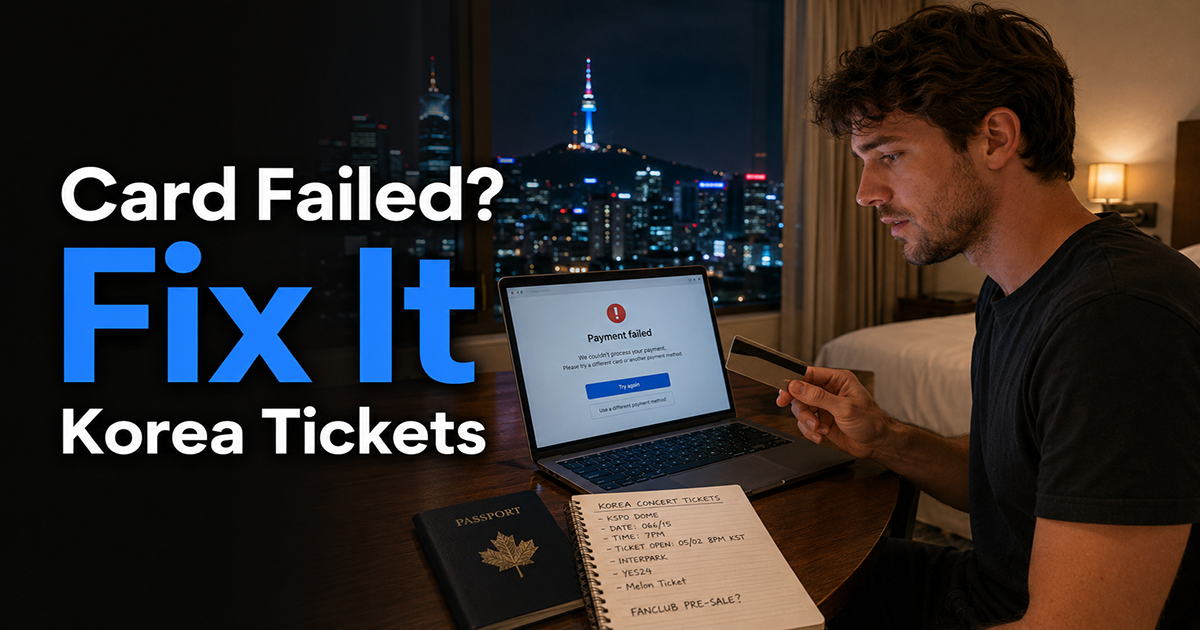
A failed checkout does not always mean that your foreign credit card was declined. The booking page, card issuer authentication, payment session, browser or event-specific sales route may have interrupted the transaction.
The first priority is therefore not to submit another payment. Open your ticketing account and check whether the platform actually created a reservation.
Why a Foreign Card Payment May Fail

A Korean ticket payment can fail at several different stages. Knowing which stage failed helps you avoid repeatedly changing cards when the card itself may not be the problem.
| What You See | Possible Cause | Best Next Move |
|---|---|---|
| The payment window does not open | A pop-up, browser setting, extension or security tool may be blocking the official payment window. | Follow the platform’s browser guidance and allow the required official domain. |
| Issuer authentication appears, but checkout fails afterward | The authentication or payment session may not have completed correctly. | Check the ticket account and card status before trying again. |
| The card is declined immediately | The issuer may have rejected the transaction, or that card may not be supported by the checkout. | Check the current payment methods and contact the card issuer after confirming the decline. |
| The page asks for Korean mobile or resident verification | You may be using a domestic sales or identity-verification route rather than an overseas booking route. | Return to the organizer’s official announcement and look for a global or overseas sales link. |
| A pending charge appears but there is no reservation | A card authorization may have occurred without a completed ticket booking. | Check the ticket platform and card issuer before submitting another payment. |
YES24 Ticket Global currently states that credit-card payments on its Global site require 3D authentication. Its official FAQ also provides troubleshooting for payment windows that do not open, including checking pop-up permissions, security software, ad-blocking tools, private mode and alternative browsers.
Review the current YES24 Ticket Global FAQ before changing browser or payment settings.
Check the Booking Before Retrying
- Open your ticketing account. Look for a reservation number, event name, seat information and booking status.
- Check your email. Look in the inbox and spam folder for an official booking confirmation.
- Review the card transaction. Check whether it is pending, completed, reversed or declined.
- Do not rely on the card notification alone. Use the ticket platform’s booking history to determine whether a reservation was actually created.
If a confirmed reservation appears, save the reservation number and confirmation page. Do not immediately buy another ticket simply because your banking app still shows a pending transaction.
This distinction is important across multiple Korean ticketing systems. Ticketlink’s current Global terms state that a purchase agreement is formed when its receipt confirmation reaches the user, while NOL World’s general policy distinguishes a payment being completed from a reservation becoming Reservation Confirmed.
Steps to Try in Order

1. Confirm That You Are Using the Correct Official Sales Page
Some Korean events use separate domestic and global booking routes. A global page may support foreign users and overseas payment methods, while the Korean domestic route may require local identity verification or other resident-focused steps.
Open the sales link provided by the artist, team, venue, promoter or organizer. Do not assume that changing the language of a domestic page creates a global booking route.
If you are unsure which route to use, our Korea event ticket guide explains how to identify official global and overseas sales pages before booking.
2. Check the Current Payment Methods
Read the payment section on the event detail page and the actual checkout screen. Card availability can depend on the platform, event, issuer and booking route.
YES24’s current English FAQ and Purchase Guide are not fully aligned on card exclusions. The FAQ says credit cards are available except China UnionPay, while the Purchase Guide also excludes American Express cards issued outside the Republic of Korea.
The practical conclusion is not to guess from the card logo. Treat the current checkout and event page as the final indication of which payment methods are being offered for that booking.
You can compare the wording in the YES24 Global FAQ and YES24 Purchase Guide.
3. Confirm 3D Authentication and Overseas Online Use
YES24 Ticket Global currently requires 3D authentication for Global card payments. Your own card issuer may also apply security controls to overseas card-not-present transactions.
Check whether you can complete the authentication method required by your issuer. Depending on the bank, that may involve its mobile application, a one-time code or another verification step.
A card that works in a Korean café or hotel can still fail online because an internet ticket purchase uses a different payment and authentication flow.
If the same card is also failing at unrelated shops, restaurants or other Korean merchants, use our broader credit-card troubleshooting guide for Korea to separate a ticketing-site problem from a general issuer or card problem.
4. Allow the Official Payment Window
Some Korean ticket sites open seat selection, authentication or payment in a separate window. If the official platform says that its pop-up is being blocked, allow pop-ups and redirects for that exact official domain.
YES24’s current FAQ also says security software or ad-blocking tools can interfere with its booking window and suggests private mode or another browser when the problem continues.
Do not broadly disable browser protections or security software for unrelated sites. Change only the setting needed for the verified official ticketing domain and restore your normal protections after booking.
5. Contact the Card Issuer After an Actual Decline
If the issuer explicitly declines the transaction, check the issuer’s official app or secure support channel. Ask whether an overseas online transaction was blocked and whether another attempt is permitted.
Do not send your complete card number, security code, banking password or passport through an unofficial email, social-media account or private seller.
6. Retry Only After You Know the First Attempt’s Status
Use another supported card only after confirming that no ticket reservation was created and that you understand the status of any pending authorization.
Changing several things at once—card, browser, account and booking route—can make it harder to identify what caused the problem. Change one factor at a time when the ticketing situation allows it.
What If You See a Charge but No Ticket?
A pending card transaction and a completed ticket reservation are different things. An issuer may temporarily show an authorization even when the booking did not finish.
Check three places:
- the official ticketing account or My Ticket page
- the confirmation email
- the card issuer’s transaction status
If there is still no reservation, contact the ticket platform with the event name, approximate transaction time, card brand and the error message you saw. Do not include the complete card number or security code.
If the transaction remains pending or becomes fully posted without a reservation, contact the card issuer as well. The issuer can explain whether the transaction is still an authorization, has been completed or requires a dispute or release process.
If repeated checkout attempts leave two payment entries on your foreign card, you may be dealing with a temporary authorization or a duplicate charge. See our guide to foreign credit card charges appearing twice in Korea to learn how to check the transaction status, contact the merchant, and request a refund or card dispute when appropriate.
Platform-Specific Notes
YES24 Ticket Global
YES24’s current Global FAQ states that card payments require 3D authentication. It also provides official troubleshooting for blocked booking or payment windows.
Its current FAQ and Purchase Guide describe card exclusions differently, so check the actual payment screen instead of assuming that every Visa, Mastercard or American Express card will be accepted.
YES24 also currently lists PayPal as a possible payment method only under specific conditions. Do not assume that PayPal will appear for every performance.
Ticketlink Global
Ticketlink’s current Global terms list credit card as one of the available payment methods. However, an individual event can still determine the practical booking route and available checkout options.
The same terms state that the purchase agreement is formed when Ticketlink’s receipt confirmation reaches the user. This is another reason not to treat a bank authorization alone as proof that a seat was successfully booked.
You can review the current Ticketlink Global terms.
NOL World
NOL World’s general cancellation and usage policy separates payment completion from final reservation confirmation. After payment, a reservation is received and later changes to Reservation Confirmed when the provider accepts it.
The same policy states that approved refunds are returned to the original payment method. Credit- or debit-card refunds are expected to take about five to seven business days, although actual timing depends on the card issuer.
Review the current NOL World cancellation and usage policy together with the exact event page.
A refund-processing estimate does not tell you how long an unsuccessful card authorization will remain pending. Ask your issuer about a pending transaction that is not connected to a confirmed reservation.
Payment Card Ownership and Attendee Identity Are Separate Issues
A payment being accepted does not necessarily mean that the cardholder can transfer the ticket to another person. The payment card, ticketing account, reservation holder, fan club membership and attendee identity can be governed by separate rules.
Before using another person’s card, read the event notice to see whether the attendee must match the reservation holder or verified account.
If the ticket or account name is already different from the attendee’s passport, see our concert ticket name and passport mismatch guide before the cancellation deadline.
When to Stop Retrying
Stop submitting new payments and investigate when:
- a confirmed reservation already appears in the ticketing account
- the issuer has blocked the card and requires you to contact it
- the same error continues after following the platform’s official troubleshooting instructions
- the event page does not offer your payment method
- multiple pending card transactions appear
- you are no longer sure whether one of the previous attempts created a booking
At that point, contact the ticket platform, card issuer or an alternative official sales channel specifically named by the organizer. Do not move to a private reseller simply because the official payment process is frustrating.
How to Prepare Before Ticket Sales Open
- Create the required ticketing account in advance.
- Use the official global sales route when the organizer provides one.
- Check the event’s accepted payment methods.
- Confirm overseas online use and required authentication with your card issuer.
- Allow the ticket site’s official payment pop-up before the sale begins when required.
- Prepare a second supported card, but use it only after checking the first transaction.
- Save the official event notice, cancellation rules and customer-support information.
- Make sure you know where to confirm the booking after payment.
Frequently Asked Questions
Does a foreign card fail because I do not have a Korean phone number?
Not necessarily. A Korean mobile or resident verification request can indicate that you are using a domestic sales or identity-verification route. A payment failure on a global page can instead involve the issuer, 3D authentication, supported payment methods or browser settings.
Does a pending card charge mean I have the ticket?
No. Confirm the reservation number and booking status inside the official ticketing account. A card alert, authorization or pending transaction alone is not a ticket confirmation.
Should I keep retrying with the same card?
Check the booking and card status first. Contact the issuer after an explicit decline, and avoid repeated attempts when multiple pending transactions or an unclear reservation status appears.
Can I use another person’s card?
Payment-card ownership and attendee identity are separate questions. Even when another person’s card is accepted, the event may still require the ticketing account, reservation holder, verified member or venue ID to match the attendee.
Can PayPal be used as a backup?
Only when the ticketing platform and that booking route offer it. YES24’s current Global FAQ applies specific conditions to PayPal availability, so confirm that the option actually appears during checkout.
What if the card works everywhere except the Korean ticketing site?
That pattern points more toward the ticket site’s payment route, issuer authentication or online-transaction controls than a general problem using the card in Korea. Check the official global checkout and issuer authentication before replacing the card entirely.
Final Takeaway
When a foreign credit card appears to fail on a Korean ticketing site, do not start by repeatedly paying again. First determine whether a reservation already exists.
Then identify the failed stage: official sales route, booking window, supported payment method, 3D authentication, card issuer or ticket-platform confirmation. Use the platform’s official troubleshooting instructions and change one factor at a time.
The most important distinction is simple: a card alert is not a ticket confirmation. Check the booking account, reservation number and official confirmation before retrying, switching cards or contacting the issuer.