
Last checked: August 3, 2026. Restaurant waitlist platforms, phone-number requirements, notification methods, arrival windows, seating policies and app features can vary by business and change over time. Follow the current instructions shown by the restaurant you actually visit.
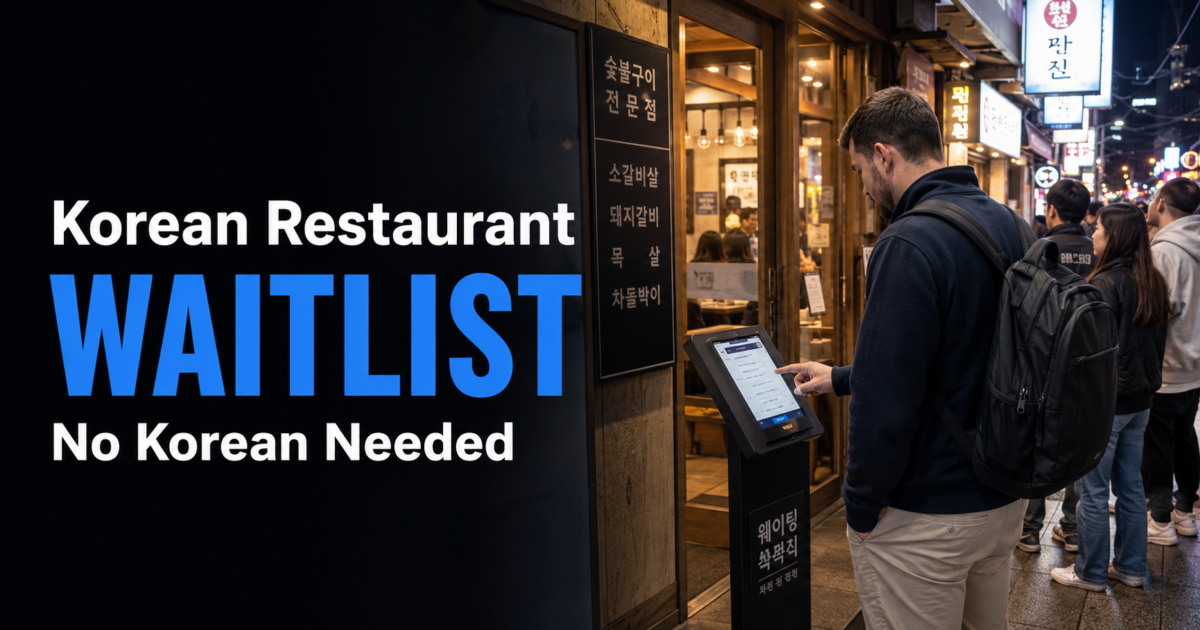
At many busy Korean restaurants, standing outside does not automatically place you on the waitlist. Before joining a crowd, check the entrance for a tablet, kiosk, QR code, numbered ticket machine, paper list or instructions from staff.
The important steps are to register through the correct system, enter the exact party size, confirm how you will be called and save your waiting number. If a Korean phone number is required and your number is rejected, do not enter a random number. Show the screen to staff and ask whether another supported registration method is available.
Quick answer: Check whether the restaurant uses a physical line or a separate waitlist, find the correct registration method, confirm the branch and party size, never enter a random Korean phone number, save the registration screen, check how your turn will be announced and stay close enough to return within the restaurant’s stated arrival window.
First, Check Whether the Crowd Is the Actual Line
A group of people outside a Korean restaurant may not be standing in arrival order. Some may already be registered digitally, waiting for friends, collecting takeout or returning after receiving an alert.
Look near the entrance before taking a place behind the crowd. Common signs include:
- 웨이팅 — waiting or waitlist
- 웨이팅 등록 — waitlist registration
- 대기 등록 — waiting registration
- 대기번호 — wait number
- 인원 — number of people
- 전화번호 — phone number
If a tablet, written list, QR code or ticket system is provided, simply standing outside may not count. When there is no visible registration method, ask staff whether you should wait physically or register another way.
Common Waitlist Systems You May Encounter

| Waitlist Type | How It Works | What to Confirm |
|---|---|---|
| On-site tablet or kiosk | Register at the entrance using the screen. | Party size, phone-number requirement, wait number and alert method. |
| QR code or mobile webpage | Scan the displayed code and complete registration on your phone. | Whether the code is for waiting, ordering or another purpose. |
| Paper list | Write the requested name, party size or contact information. | How the restaurant will call you and whether you must stay nearby. |
| Remote waitlist app | Join a supported queue before reaching the restaurant. | Correct branch, arrival instructions, notifications and return deadline. |
| Physical line or staff registration | Wait in order or give your information directly to staff. | Whether leaving the line cancels your place. |
These are common practical examples rather than a universal Korean restaurant standard. The method can differ between branches of the same business and between lunch and dinner service. Follow the current entrance instructions rather than an old social-media post.
Step 1: Confirm the Restaurant and Branch
Make sure you are registering for the correct restaurant and location. Popular restaurant brands can have several branches in different neighborhoods, department stores or shopping complexes.
Before submitting, check:
- the Korean and English restaurant name
- the branch or neighborhood
- the current date and service period
- the exact party size
- whether the queue is for dine-in, takeout or a specific floor
If the restaurant has several branches, our Naver Map vs KakaoMap guide explains how to cross-check the Korean name, address and nearest station before you register.
A QR code at the entrance may be for the waitlist, while another QR code at the table may be for ordering. If the problem starts after you are seated, see what to do when a Korean restaurant has only a QR code menu.
Step 2: Enter the Exact Party Size
The number of guests can affect the queue because a restaurant may have different tables for solo diners, couples and larger groups. Enter the number of people who will actually dine.
Do not register several different party sizes simply to create multiple chances. Duplicate entries can confuse the queue and may be removed according to the restaurant’s system or policy.
Some restaurants require the complete party to be present before seating, while others may seat the guests who have already arrived. Check the registration screen or ask staff instead of assuming that one person can always hold the table for everyone.
Step 3: Handle the Korean Phone-Number Field Safely

Some waitlist systems accept international numbers. Others may accept only Korean mobile numbers or depend on local SMS alerts. Do not assume that a phone-number field will work the same way at every restaurant.
A data-only eSIM can provide internet access without necessarily providing a Korean phone number that receives ordinary SMS. Check the exact mobile plan you purchased rather than assuming that mobile data and SMS service are the same thing.
If you are still choosing mobile service, our Korea eSIM vs SIM guide explains the difference between data-only plans and plans that include a Korean number.
If your number is rejected:
- Do not enter a random Korean number or another person’s number.
- Keep the error message visible.
- Show the screen to staff.
- Ask whether manual registration, name calling, a numbered ticket or another supported method is available.
- If there is no alternative, ask whether you should wait physically or return at another time.
The restaurant may or may not have an alternative registration method. The important point is to discover the limitation immediately rather than waiting without a valid entry in the queue.
Step 4: Save the Registration Details
After registering, take a screenshot or photo that contains as many useful details as possible:
- restaurant name and branch
- party size
- waiting number
- number of teams ahead
- estimated waiting time
- registration time
- alert or notification method
- instructions about when to return
The displayed waiting time is an estimate, not a reservation time. The queue can move faster or slower because of cancellations, party sizes, table turnover and restaurant operations.
Do not submit the registration again merely because the page reloads. Check your screenshot, confirmation message, app history or ask staff before creating a duplicate entry.
Step 5: Confirm How Your Turn Will Be Announced
Restaurants may use one or more methods to tell customers that their table is approaching or ready:
- SMS message
- app notification
- waiting-number display
- spoken number or name
- phone call
Ask before leaving the entrance when the method is unclear. Staying nearby is especially important when you cannot receive the system’s SMS or app notification.
| Korean | Romanization | Meaning |
|---|---|---|
| 여기서 기다리면 돼요? | Yeogiseo gidarimyeon dwaeyo? | Should I wait here? |
| 어떻게 불러요? | Eotteoke bulleoyo? | How will you call me? |
| 문자로 알려줘요? | Munjaro allyeojwoyo? | Will you notify me by text? |
| 몇 팀 남았어요? | Myeot tim namasseoyo? | How many teams are left? |
Step 6: Follow the Restaurant’s Return Instructions
A remote or digital waitlist does not necessarily mean that you can travel far away. A restaurant may require you to return when only a few teams remain or within a stated number of minutes after an alert.
Follow the current registration screen instead of creating a universal rule from the estimated waiting time or the number of teams ahead.
Before leaving the immediate area, check:
- whether you may leave at all
- how much time you have after an alert
- whether your position can be delayed or postponed
- whether all guests must be present
- what happens when you miss the call
Keep your phone charged, mobile data active and app notifications enabled when the waiting system depends on them.
Step 7: Return Promptly When Called
When your number or name appears, return to the entrance and show the confirmation screen. Do not wait for a second alert unless the system specifically tells you to do so.
If you think your turn has already passed, ask staff immediately.
| Korean | Romanization | Meaning |
|---|---|---|
| 제 번호 지났어요? | Je beonho jinasseoyo? | Has my number passed? |
| 다시 등록해야 해요? | Dasi deungnokhaeya haeyo? | Do I need to register again? |
The restaurant may call the next party, cancel the entry, offer a grace period, postpone the position or ask you to register again. The result depends on that restaurant’s current policy and waiting system.
How CATCHTABLE Global Fits into the Process
CATCHTABLE Global can help international travelers search supported restaurants, make available reservations and join supported remote waitlists. It does not make every restaurant in Korea remotely accessible.
The current CATCHTABLE Global app listing states that supported bookings and waitlists do not require a Korean phone number and that users can receive information through email and in-app notifications. It also advertises remote waitlist functionality.
You can check the current CATCHTABLE Global app listing and the official CATCHTABLE Global website before relying on a feature.
On an individual restaurant page, distinguish between:
- Reserve: choose an available future date and time.
- Remote waitlist: join an active supported queue.
- On-site registration: visit the restaurant and register there.
- No available option: the restaurant may use another platform, a physical line or walk-in service.
Options can differ by restaurant, branch, date and service period. For account setup, reservations, deposits, cancellations and remote waiting, see our guide to how to use CATCHTABLE Global for restaurant reservations.
Useful Korean Phrases
| Korean | Romanization | Meaning |
|---|---|---|
| 웨이팅 어떻게 해요? | Weiting eotteoke haeyo? | How do I join the waitlist? |
| 두 명이에요. | Du myeong-ieyo. | We are two people. |
| 혼자예요. | Honjayeyo. | I am alone. |
| 한국 전화번호가 없어요. | Hanguk jeonhwabeonhoga eopseoyo. | I do not have a Korean phone number. |
| 웨이팅 등록 도와주세요. | Weiting deungnok dowajuseyo. | Please help me register for the waitlist. |
| 이 번호 맞아요? | I beonho majayo? | Is this the correct number? |
Showing the written Korean sentence on your phone can be clearer than relying only on romanized pronunciation at a crowded entrance.
Common Mistakes to Avoid
- Standing behind a crowd without checking whether registration is required.
- Joining the queue for the wrong branch.
- Entering the wrong party size.
- Using a random Korean phone number.
- Assuming a data-only eSIM can receive ordinary SMS.
- Leaving without confirming the alert method.
- Treating an estimated waiting time as a reservation time.
- Submitting duplicate registrations.
- Walking too far away without checking the return rule.
- Assuming a missed turn will automatically be restored.
- Confusing an advance reservation, remote waitlist and on-site waitlist.
Frequently Asked Questions
Can I join a Korean restaurant waitlist without a Korean phone number?
Sometimes. CATCHTABLE Global currently advertises supported reservations and remote waitlists without a Korean phone number, while individual on-site tablets or other restaurant systems may have different requirements. When a field rejects your number, ask staff for a supported alternative instead of entering a random number.
Should I stand in line or use the tablet?
Follow the current entrance instructions. When a tablet, QR code, ticket machine or paper list is provided, register through that method before assuming that standing behind the crowd secures your place.
Can I leave after joining the waitlist?
It depends on the restaurant. Check how alerts are sent, how quickly you must return and whether leaving the immediate area affects your position.
What happens when I miss my number?
The restaurant may skip the party, cancel the entry, provide a short grace period, postpone the position or require a new registration. Ask staff immediately rather than assuming that your place remains valid.
Does the whole group need to be present?
Some restaurants require every guest to be present before seating, while others do not. Check the registration instructions or ask staff before part of the group leaves the area.
Is a waitlist the same as a reservation?
No. A reservation normally provides a scheduled date and time. A waitlist places you in a queue whose progress can change as tables become available.
When should I use 1330?
The 1330 Travel Helpline & Complaint Center provides non-emergency tourist information, interpretation and chat support. Contact the restaurant first for an ordinary waitlist problem because the business controls its own queue and seating policy.
Final Takeaway
Joining a Korean restaurant waitlist becomes easier when you answer four questions: Where do I register, what information is required, how will I be called and how quickly must I return?
Check the entrance before standing in a crowd, confirm the correct branch, enter the actual party size, never use a random phone number and save the complete confirmation screen. If the system rejects your number or you cannot understand the registration page, show the exact problem to staff and ask whether another supported method is available.
CATCHTABLE Global can reduce some phone-number and language barriers for supported restaurants, but it is not a universal system. Restaurant waitlist platforms, notification methods, return windows and seating policies vary by business and can change.
After you are seated, our guide to how Korean restaurant call bells work explains when to use the table bell and how to get staff attention without repeatedly pressing it.